If you cannot remember your MiWAM username or password, you may be able to restore access through Michigan’s MiLogin account recovery service. MiLogin is the sign-in system used to access MiWAM and other Michigan government services.
Whether you forgot your user ID, need to create a new password, or are locked out after several unsuccessful login attempts, the right recovery steps can help you regain access to your unemployment account.
This guide explains how to recover your MiWAM username and password, troubleshoot common problems, and find official support from the Michigan Unemployment Insurance Agency (UIA).
MiWAM Forgot Username and Password Overview
Recovering a forgotten MiWAM username or password usually starts with the official MiLogin recovery tools. Retrieve your username first if necessary, reset your password, and wait for a temporary lockout to clear before trying again.
If online recovery fails, contact Michigan UIA through its official website or telephone support. Since Michigan is preparing to move unemployment benefit services to MiUI, verify the latest instructions before relying on older login procedures.
How to Recover a Forgotten MiWAM Username
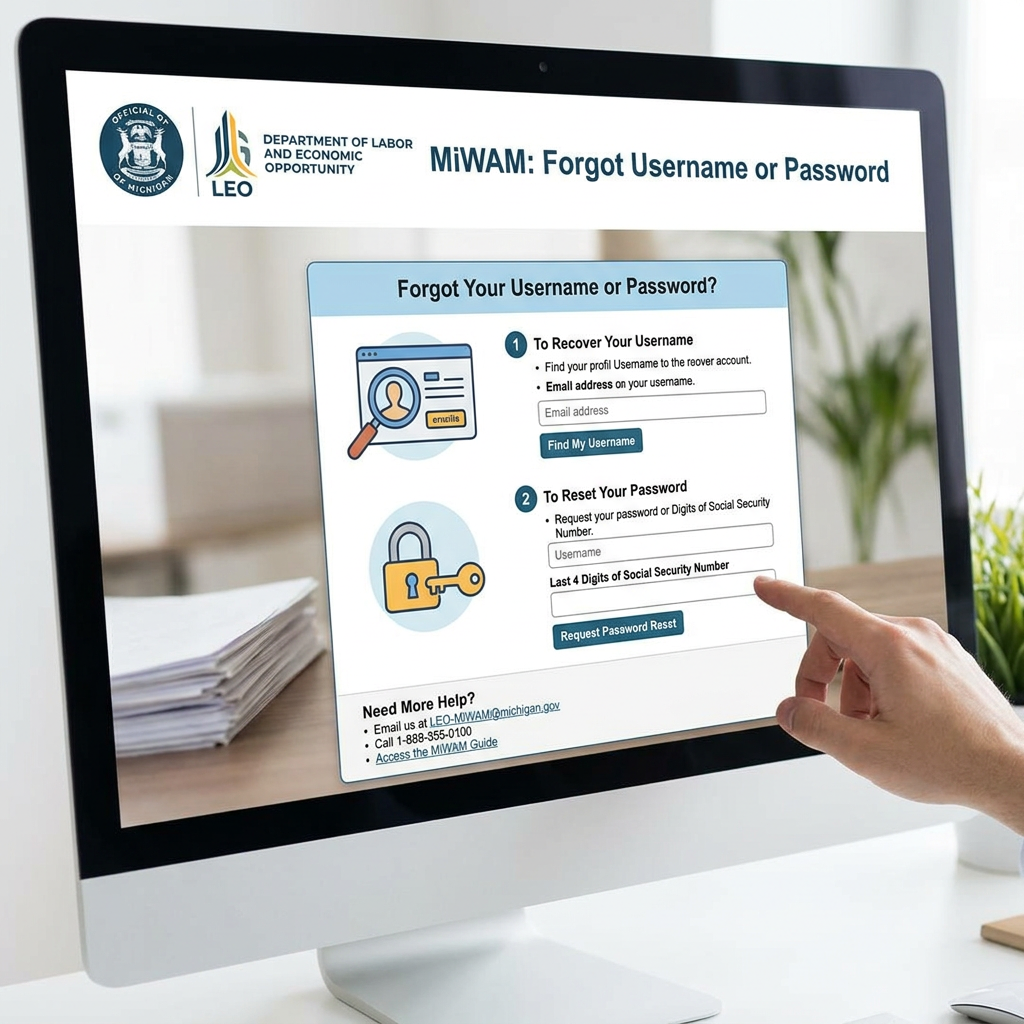
If you cannot remember the username associated with your MiWAM account, use the official MiLogin recovery process. Follow these steps:
- Visit the official Michigan UIA website.
- Navigate to the MiWAM login option and choose the option to sign in with MiLogin.
- On the MiLogin page, select Forgot your User ID?
- Enter the email address associated with your MiLogin account.
- Complete the requested identity verification, including answering your security question if prompted.
- Select the option to email your username.
- Check your inbox for the recovery message and follow any instructions provided.
The recovery process may vary depending on your account settings and the current MiLogin interface. If you no longer have access to your registered email address or cannot complete verification, contact the official support team for assistance.
Tip: Check your spam or junk folder if the recovery email does not appear in your inbox.
How to Reset a Forgotten MiWAM Password
If you remember your username but have forgotten your password, you can request a password reset through MiLogin.
Steps to reset your password
- Open the official MiLogin password recovery page.
- Select the password recovery option if it is not already displayed.
- Enter your current MiLogin user ID.
- Choose an available security method to verify your identity.
- Complete the verification instructions.
- Follow the prompts to create a new password.
- Return to the official MiWAM sign-in page and try logging in again.
Use a strong password that you do not reuse on unrelated websites. If the system sends a recovery message or verification code, follow the instructions carefully and do not share the code with anyone.
If the reset process fails, use the official MiLogin and MiWAM Help Center for current guidance.
What If You Forgot Both Your Username and Password?
If you cannot remember either credential, recover your username first whenever possible. Once you have identified the correct user ID, use the password reset process.
A practical order is:
- Open the official MiLogin portal.
- Select Forgot your User ID?
- Follow the identity verification instructions to retrieve your username.
- Return to the login page.
- Select Forgot your password?
- Complete the password recovery steps.
- Sign in again using your recovered username and new password.
If you cannot access the email address or phone number associated with your account, or if the system cannot verify your identity, you may need help from UIA or MiLogin support.
Do not create another account simply because you cannot remember your existing credentials. First, check the official recovery options to avoid confusion with duplicate accounts.
How to Fix a Locked MiWAM or MiLogin Account
Your account may become temporarily locked after too many unsuccessful login attempts or incorrect security answers.
According to Michigan UIA guidance, a locked MiLogin account generally unlocks automatically after 30 minutes.
If you receive a lockout message:
- Stop trying different passwords repeatedly.
- Wait at least 30 minutes before trying again.
- Confirm that you are entering the correct username.
- Use the official password recovery process if necessary.
- Contact UIA or MiLogin support if the account remains locked.
Repeatedly submitting incorrect security answers can create additional access problems. If you are unsure of an answer, use the available recovery or support options instead of continuing to guess.
What If You No Longer Have Access to Your Registered Email or Phone?
A forgotten password can be harder to recover when your contact information is outdated.
If you no longer use the email address or phone number connected to your account, try the other verification method available on the official recovery page. For example, if the system offers email and mobile verification and one method is still available to you, you may be able to use it.
If neither method works, contact the Michigan UIA for assistance. Be prepared to explain that your registered contact information has changed and that you cannot complete the online verification process.
For your protection, only provide personal information through official Michigan government channels.
Common MiWAM Login Recovery Problems
I did not receive the password reset email
Check your spam, junk, and promotions folders. Confirm that you entered the correct email address and wait a short time before requesting another recovery message.
If the email still does not arrive, consult the official MiLogin Help Center.
My username or email address is not recognized
Make sure you are using the email address associated with your MiLogin account, rather than an unrelated personal or work email address. If you have used Michigan online services before, you may already have a MiLogin account.
If the system still cannot locate your account, contact support rather than creating multiple accounts.
My security question answer is not accepted
Review the answer you originally selected when creating your account. If you cannot remember it, stop making repeated guesses and use the available account recovery or support options.
My account is still locked after 30 minutes
Try opening a fresh browser session and visiting the official MiLogin website directly. If the lockout message remains, contact UIA or MiLogin support.
I can log in to MiLogin but cannot access MiWAM
MiLogin credentials and access to an individual state service are related, but they are not exactly the same thing. If you can sign in to MiLogin but cannot reach your unemployment account, the problem may involve MiWAM registration, account access, or a system-related issue.
Visit the official MiLogin and MiWAM Help Center for guidance specific to your situation.
How to Contact Michigan UIA for Account Recovery
If online recovery does not work, contact the Michigan Unemployment Insurance Agency through its official channels.
- UIA telephone: 1-866-500-0017
- Official UIA website: https://www.michigan.gov/leo/bureaus-agencies/uia
- MiLogin and MiWAM Help Center: https://www.michigan.gov/leo/bureaus-agencies/uia/tools/milogin-and-miwam-help-center
Before contacting support, note the exact error message you receive and whether you are having trouble with your username, password, security verification, or account lockout. This information can help you explain the problem clearly.
Never share your password or a one-time verification code with someone who contacts you unexpectedly claiming to be support staff.
Important: MiWAM Is Transitioning to MiUI
Michigan is transitioning its unemployment insurance services from MiWAM to a new platform called MiUI. As of October 2026, the state has scheduled the benefits portion of the transition for November 9, 2026. Michigan UIA has also announced a planned system downtime ahead of the change.
Because the transition is approaching, account recovery instructions and the location of unemployment services may change. If you are unable to access your account, check the latest notices on the official MiUI University website.
Keep your contact details current and follow official instructions about accessing your unemployment account during the transition. Do not assume that older MiWAM instructions will remain valid after the new system goes live.
Frequently Asked Questions
How do I recover my MiWAM username?
Visit the official MiLogin page and select the forgotten user ID option. Enter the email address associated with your account and complete the requested verification steps.
How do I reset my MiWAM password?
Use the official MiLogin password recovery page, enter your user ID, verify your identity using an available security method, and follow the instructions to set a new password.
Can I recover my username without my email address?
Online recovery may require access to the email address or another verification method associated with your account. If you cannot complete verification, contact official UIA or MiLogin support.
How long does a MiLogin account lockout last?
Michigan UIA guidance says a locked MiLogin account generally unlocks automatically after 30 minutes. If you remain locked out after that period, contact support.
What is the phone number for MiWAM login problems?
Michigan UIA lists 1-866-500-0017 for unemployment-related account assistance. Check the official UIA website for current contact information and service notices.
Is MiWAM being replaced?
Yes. Michigan has scheduled the benefits portion of its transition to MiUI for November 9, 2026. Check the official MiUI University website for current transition information.